One feature added to the new iPhone 2.0 operating system is the ability to capture whatever is on your screen at the moment with a button combination. Hold down Apple’s Home key and then the Sleep/Awake key on the top right corner of the iPhone (the same key you tap to start up your iPhone from sleep).
Archive for March, 2010
How To Print Screen in iPhone – Screen Capture
Wednesday, March 31st, 2010How to convert Symantec Endpoint Protection clients from managed to unmanaged without uninstalling and reinstalling
Tuesday, March 16th, 2010Question/Issue:
Symantec Endpoint Protection Clients are installed as managed by a Symantec Endpoint Protection Manager. You need to change the clients to be unmanaged, but do not want to uninstall and reinstall the client.
Solution:
To convert the Symantec Endpoint Protection clients to unmanaged after they have been installed as managed
- Locate the Sylink.xml file that is located on CD 1 in the SEP folder.
- Copy the Sylink.xml file to a location that is accessible to clients on the network.
- On the client, navigate to CD2\TOOLS\NOSUPPORT\SYLINKDROP.
Note: CD2 may also be labeled CD3 - Run SylinkDrop.exe on each Symantec Endpoint Protection client that needs to be converted to an unmanaged client.
Note
If the communication mode was not set for Client Control in the Symantec Endpoint Protection Manager policies during initial installation, you will not be able to change the local client policies after placing the new Sylink.xml file on the client.
This procedure changes the managed client to an unmanaged client, but will not change the policies that exist on the client. Ensure that you have the ability to change settings and run LiveUpdate on the client before changing the client to unmanaged. If you change the client to unmanaged without ensuring that you can change settings on the client , you may need to uninstall and then reinstall the client if you need to change settings in the future.
Disable EU Browser choice with Group Policy
Monday, March 15th, 2010How to remove with Group Policy :
- Open Group Policy Management Console and edit or create a new Group Policy Object
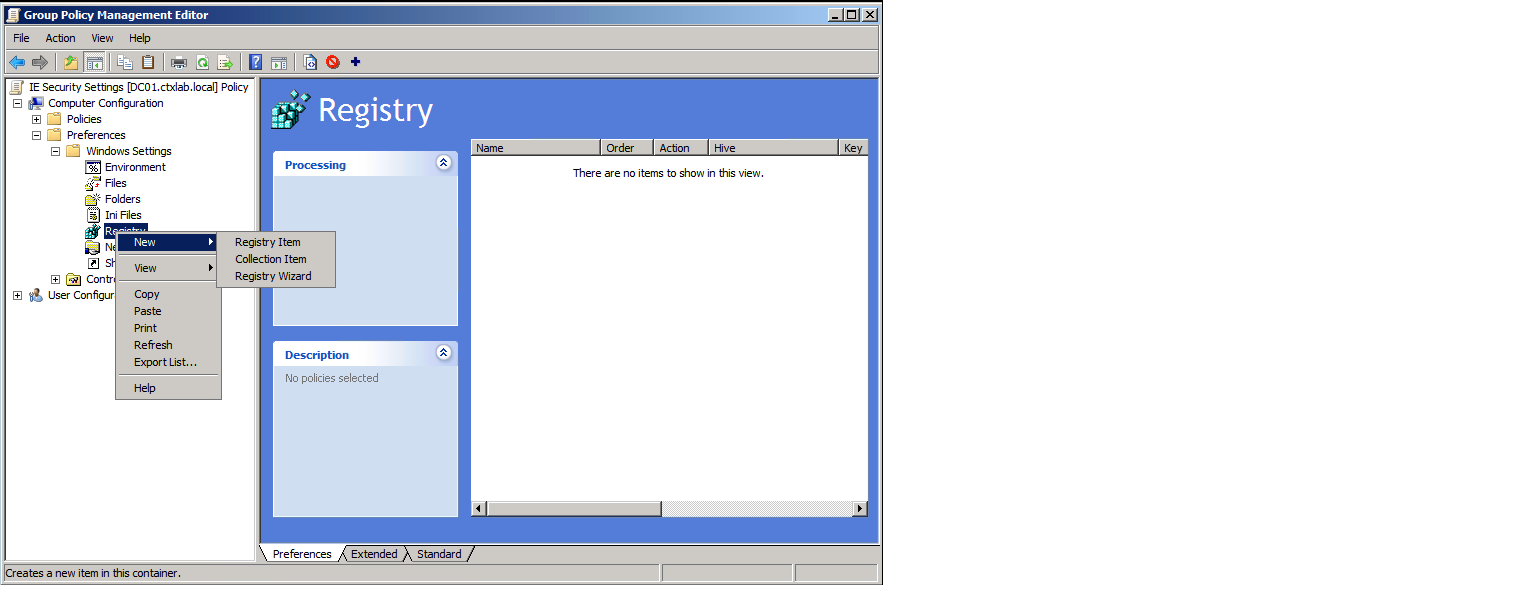
- Navigate to Computer Configuration – Preferences – Windows Settings – Registry
- Right click Registry – New – Registry Item
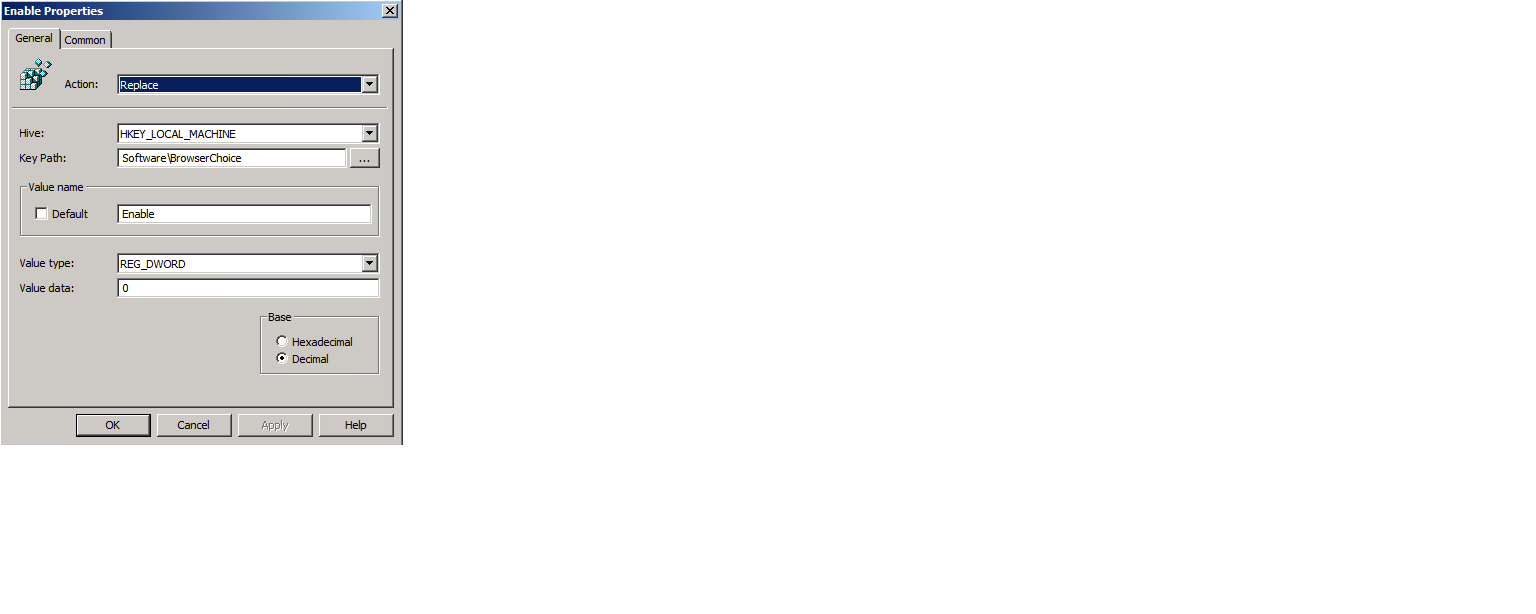
- Type is as shown below
[HKEY_LOCAL_MACHINE\SOFTWARE\BrowserChoice]
“Enable”=dword:00000000
How to factory reset a Snapgear
Sunday, March 14th, 2010Should you have to reset the SG560 back to it’s factory settings, simply press the reset button on the back of the device twice quickly with a pen or pencil. All the lights will flash, and the device will be set back to the way it came from the factory with the IP address of 192.168.0.1and with a username of root and a password of default.