Firmware Updates – Snapgear – Cyberguard
July 26th, 2009Event ID 2025 is logged in the System log on a Windows Server 2003-based computer
July 23rd, 2009The following event is logged in the System log of Event Viewer on a computer that is running Microsoft Windows Server 2003:
Event ID: 2025
Source: SRV
Description: “The server has detected an attempted Denial-Of-Service attack from client \\computer_name, and has disconnected the connection.”
Additionally, client computers are disconnected from the server
WORKAROUND
Disable denial of service attack detection Important These steps may increase your security risk. These steps may also make your computer or your network more vulnerable to attack by malicious users or by malicious software such as viruses. We recommend the process that this article describes to enable programs to operate as they are designed to, or to implement specific program capabilities. Before you make these changes, we recommend that you evaluate the risks that are associated with implementing this process in your particular environment. If you choose to implement this process, take any appropriate additional steps to help protect your system. We recommend that you use this process only if you really require this process. You can disable denial of service attack detection at the operating system level. By doing this, you prevent errors from being logged. To do this, follow these steps:
- Click Start, click Run, type regedit in the Open box, and then click OK.
- Locate and then click the following registry subkey:
HKEY_LOCAL_MACHINE\System\CurrentControlSet\Services\LanManServer\Parameters
- On the Edit menu, point to New, and then click DWORD Value.
- Type DisableDos for the name of the DWORD value, and then press ENTER.
- Right-click DisableDos, and then click Modify.
- In the Value data box, type 1 to disable denial of service attack detection, and then click OK.Note To enable denial of service attack detection, type 0 in the Value data box.
- Quit Registry Editor.
Plantronics 520 Voyager
July 22nd, 2009Windows Live Messenger 8.1 DK
July 21st, 2009Computer hardware poster 1.7
July 20th, 2009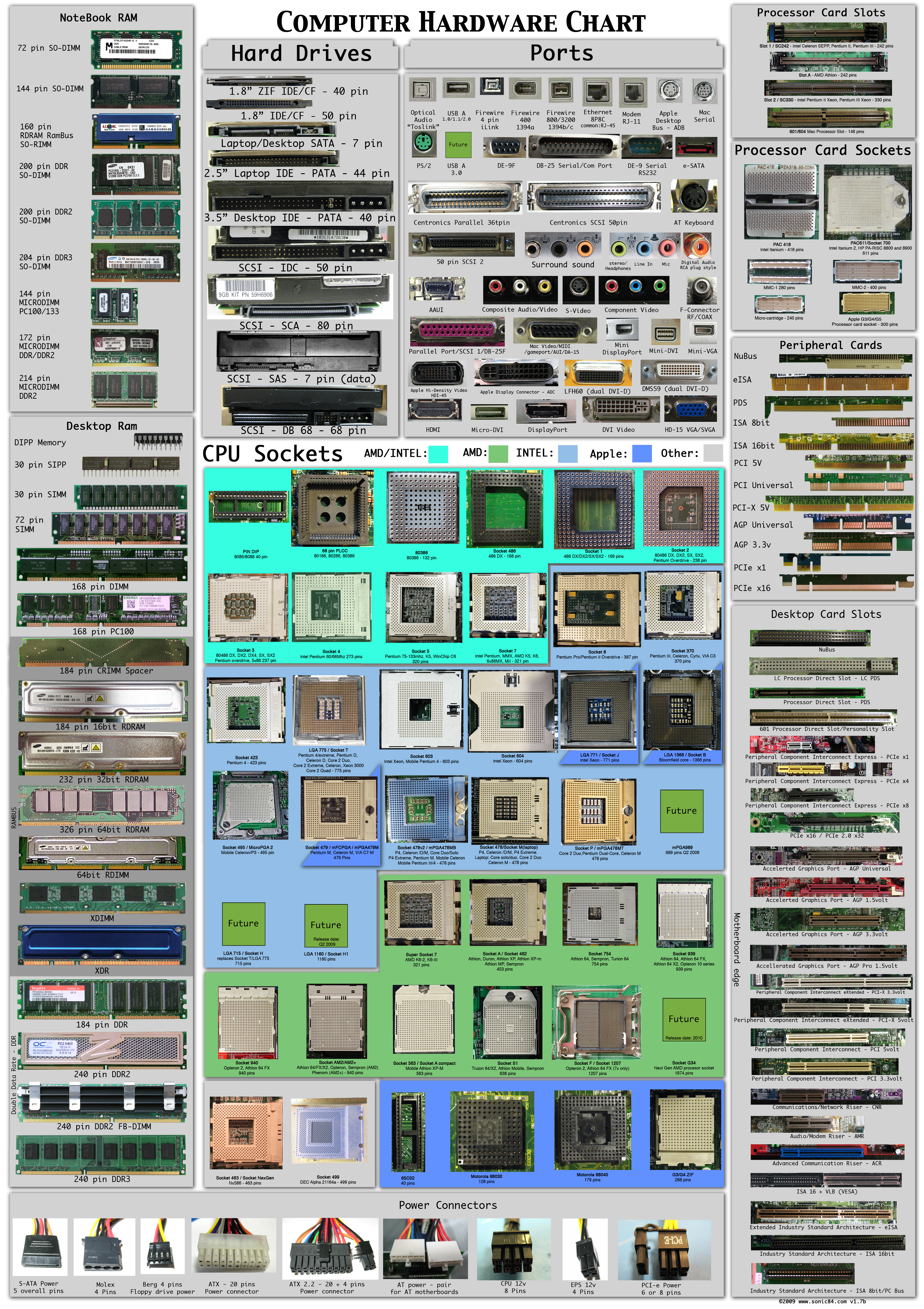
Cisco Aironet 1100 Series Access Point Data Sheet
July 16th, 2009Jeg har skiftet computer. Hvordan får jeg min Autolog over på den nye?
July 14th, 2009Hvis du har version 3.5.0 og derover, kan du eksportere alle nødvendige filer til en USB-nøgle. Når du har installeret Autolog på din nye computer, skal du importere de eksporterede filer. Det gøres på følgende måde: Filer -> Datafiler -> Eksport datafiler/Import datafiler
SSL Certificate Installation
July 13th, 2009Import-ExchangeCertificate -Path C:\your_domain_name.cer | Enable-ExchangeCertificate -Services “SMTP, IMAP, POP, IIS”
Get-ExchangeCertificate
Enable-ExchangeCertificate -ThumbPrint [paste] -Services “SMTP, IMAP, POP, IIS